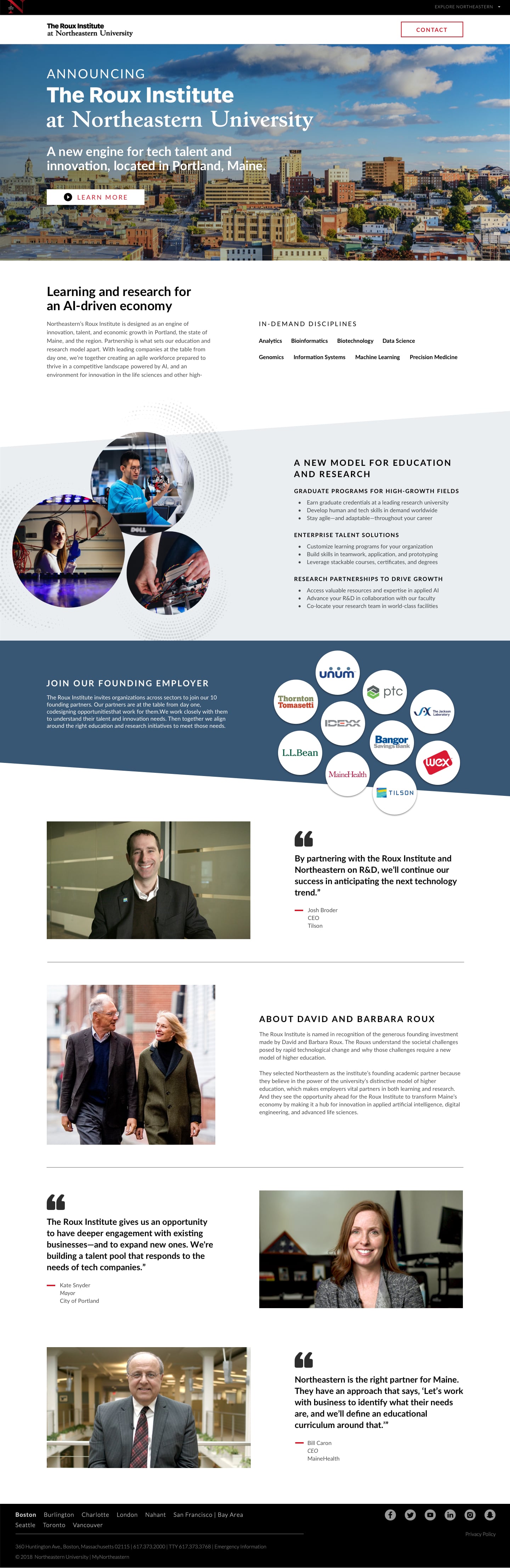
I contributed UI and design-system design to a shared foundation for a university ecosystem spanning 4,000+ pages and diverse audiences.
MY CONTRIBUTION
Visual audit, foundations, components and documentation
COLLABORATION
Cross-functional university team
OUTPUT
Pattern library, prototypes, and two system versions
THE SYSTEM IN CONTEXT
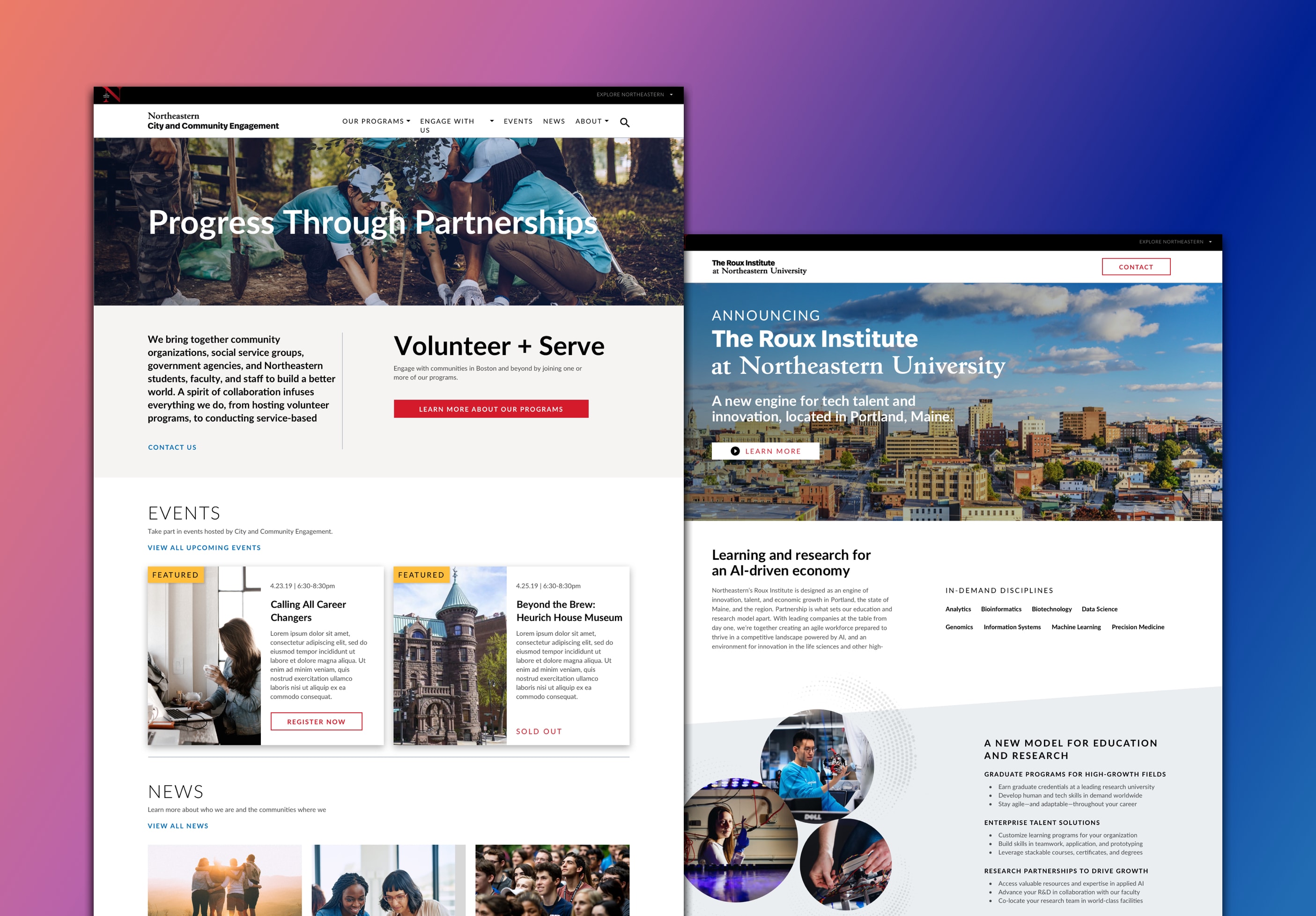
Consistency across different content needs.
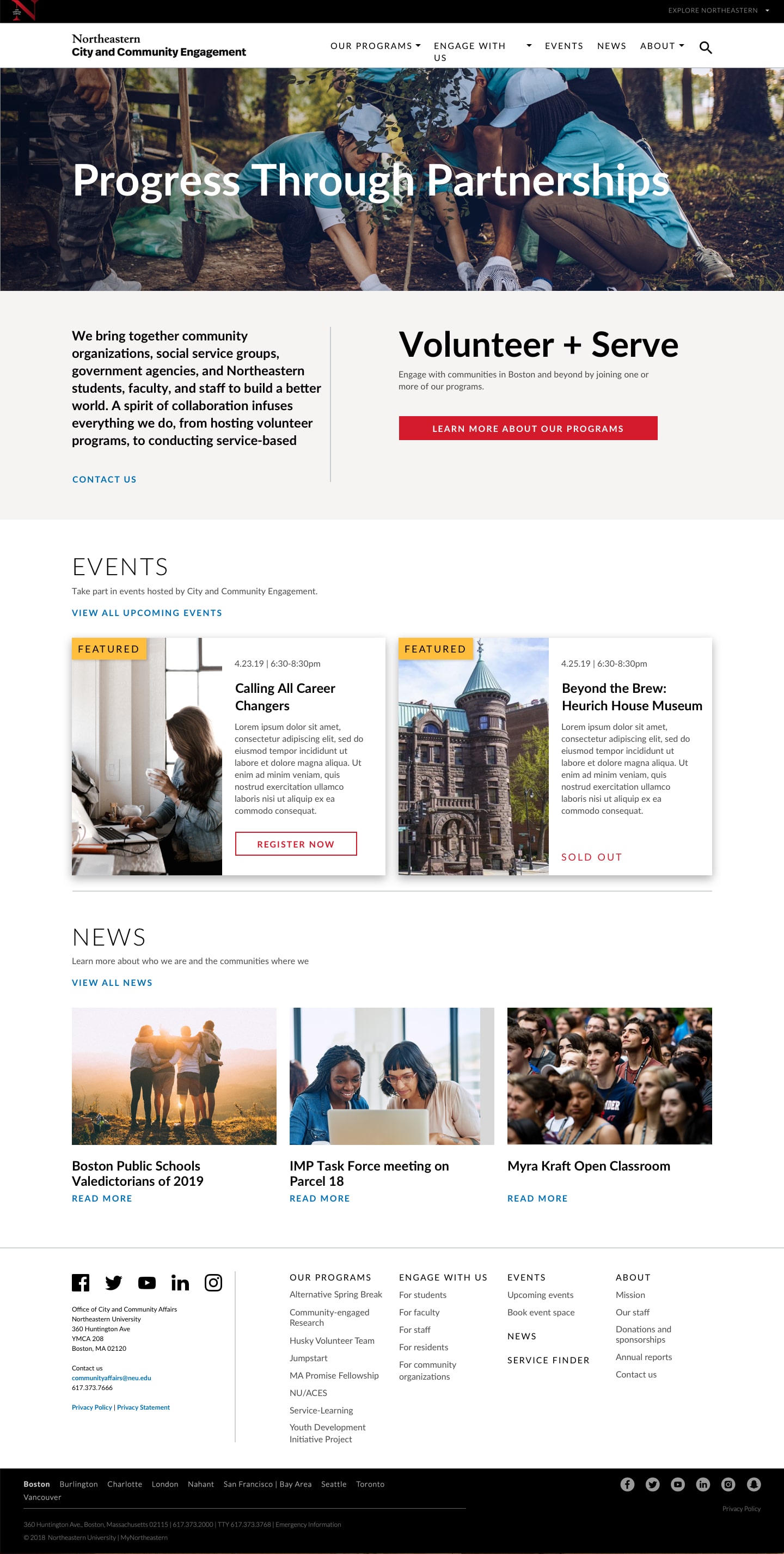
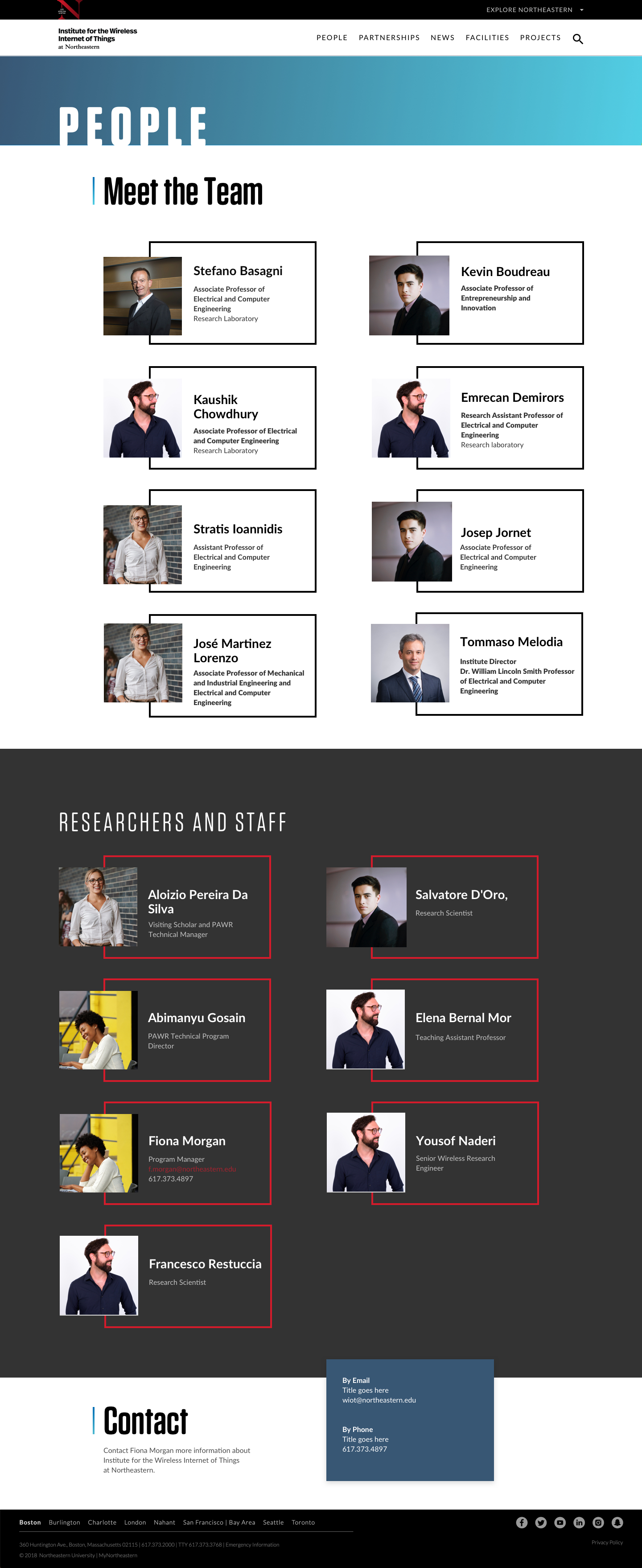
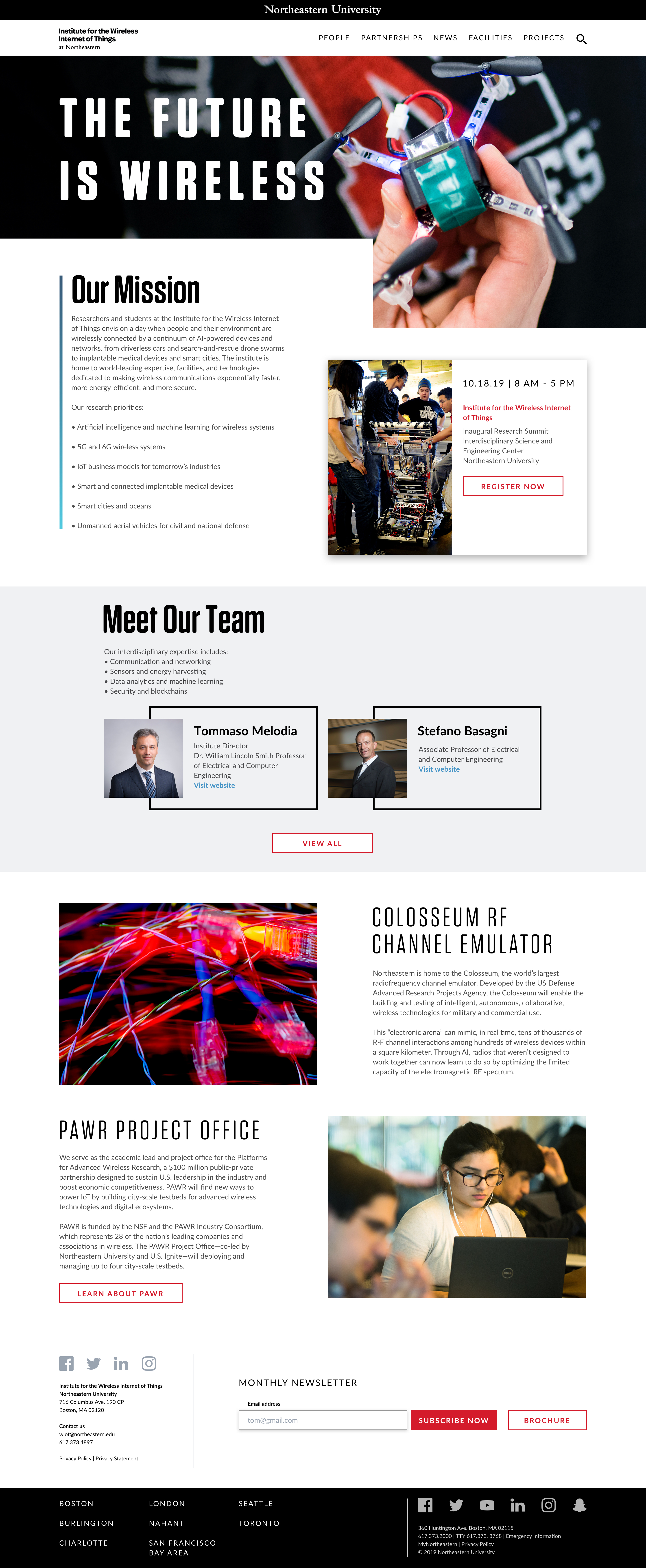
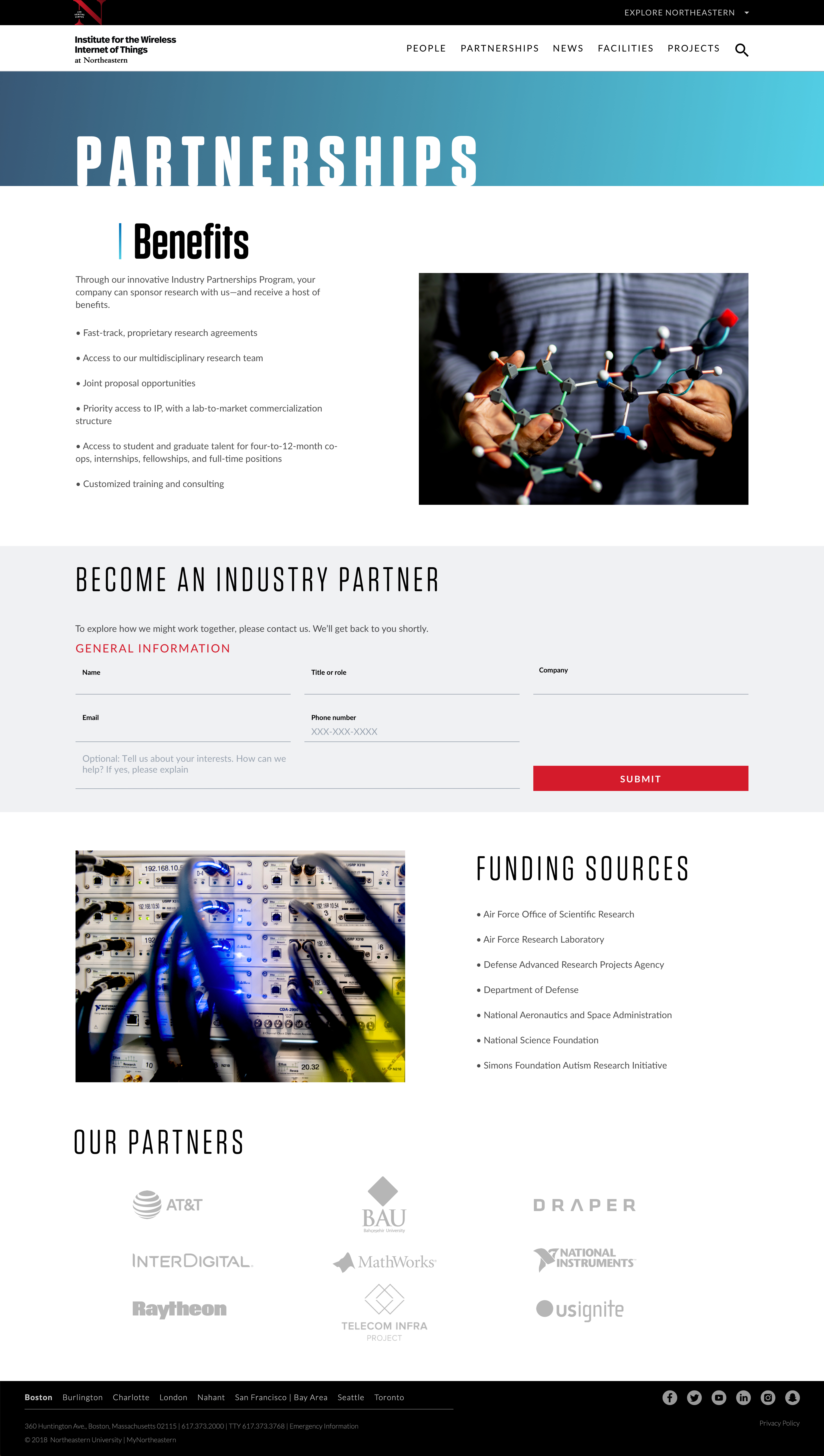
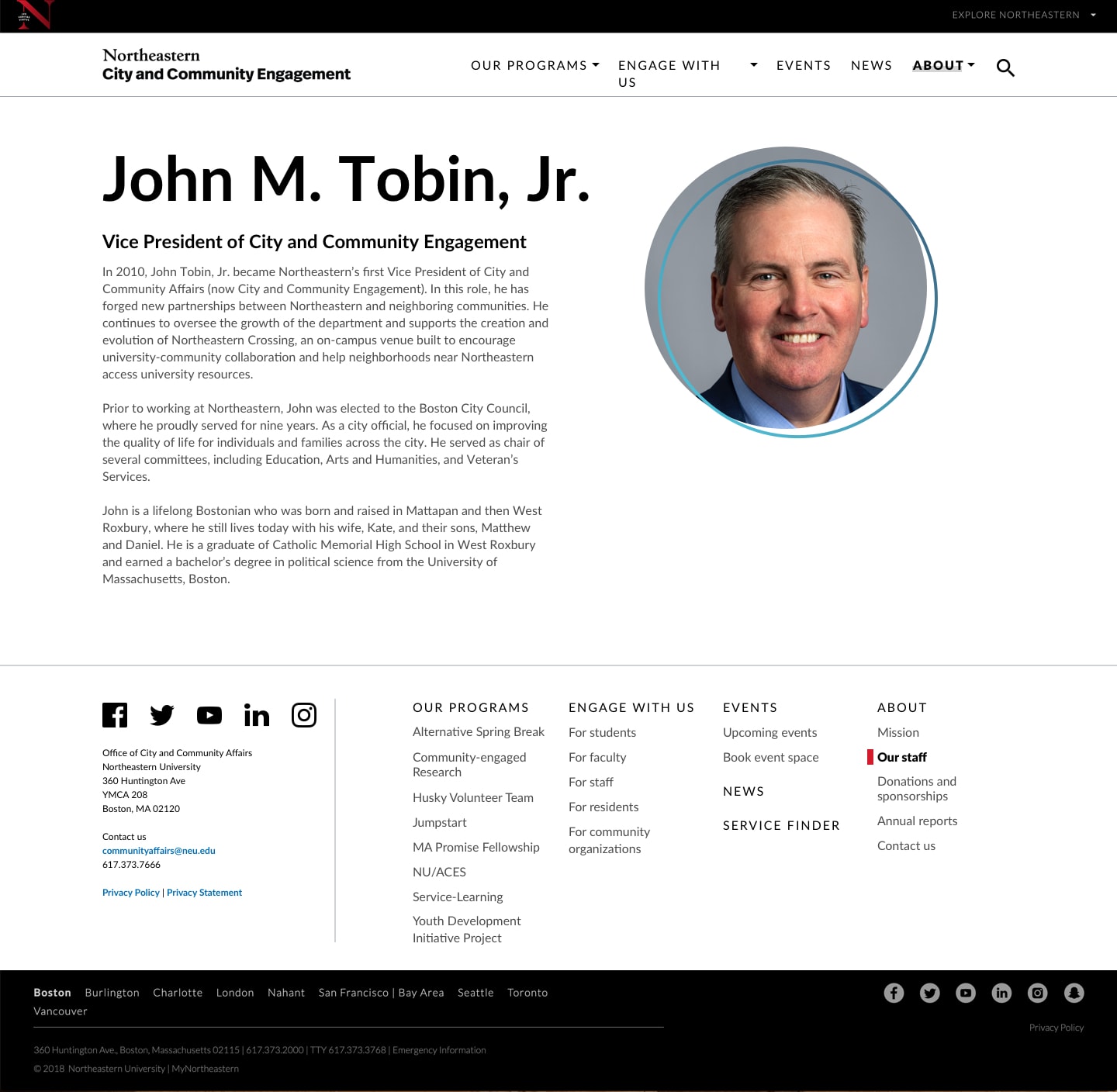
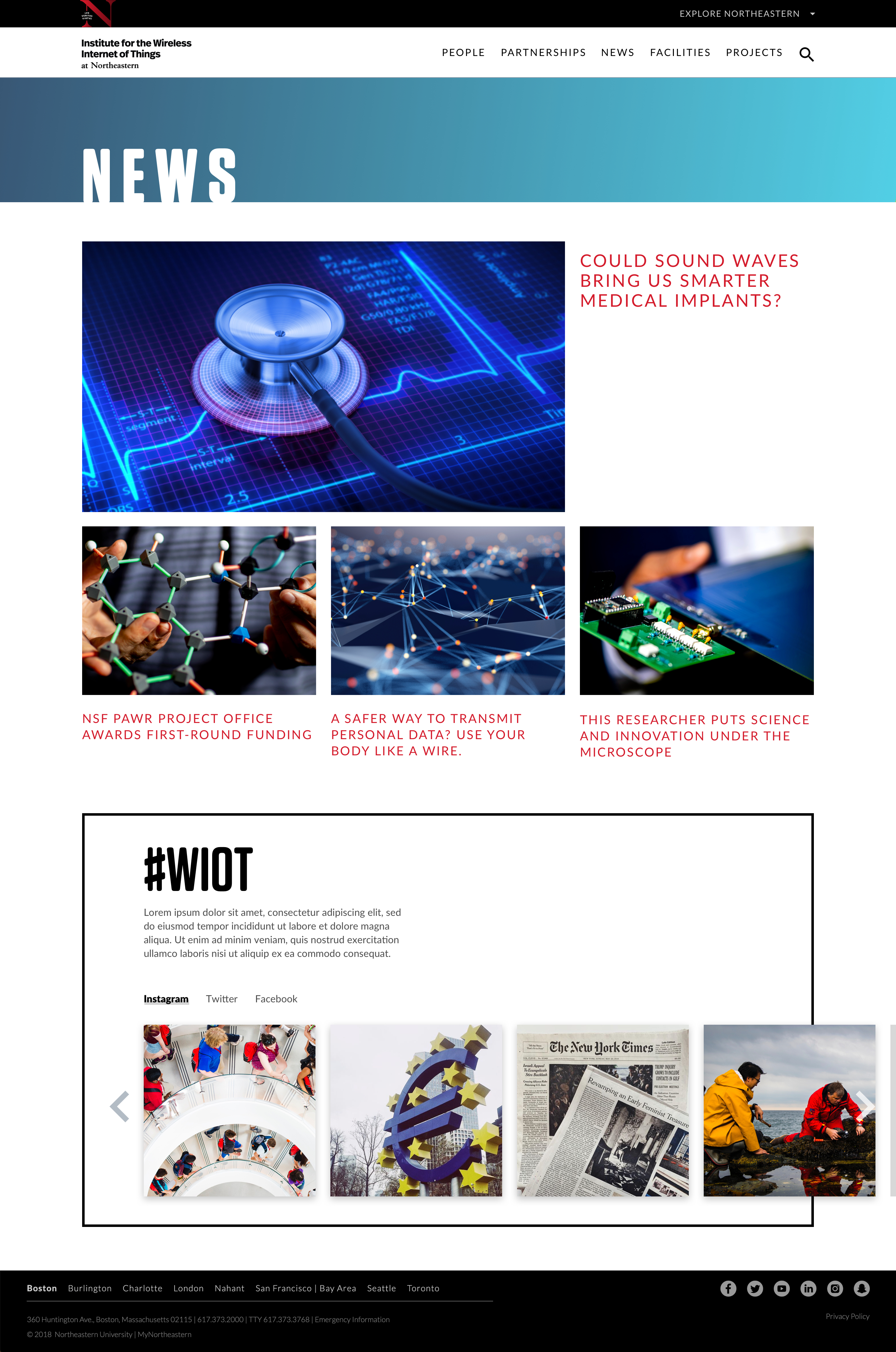
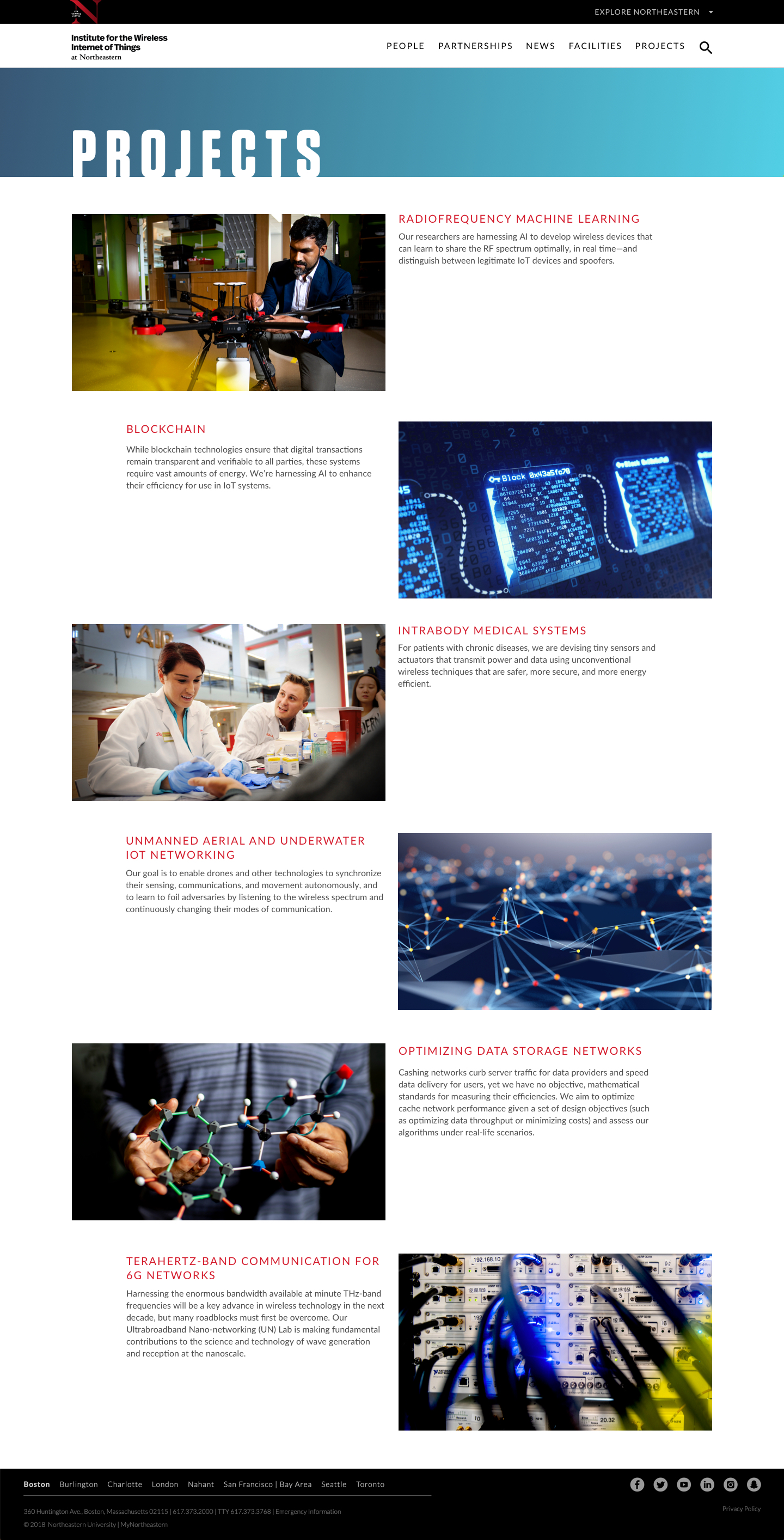
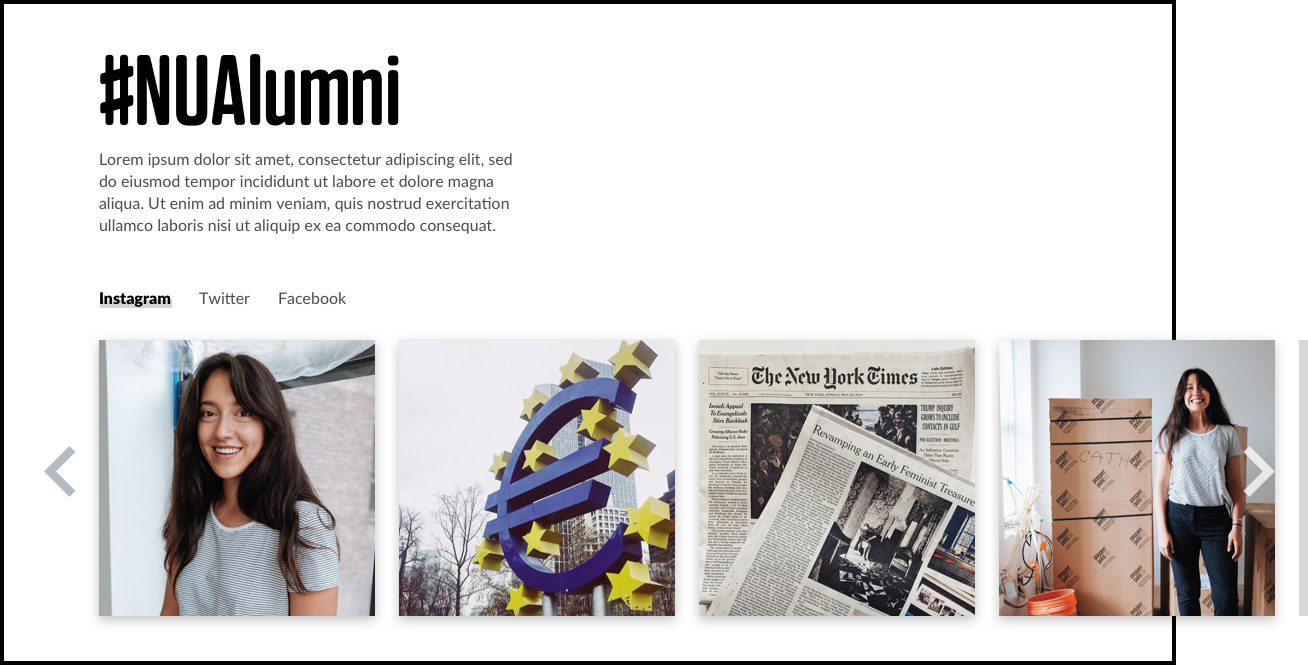
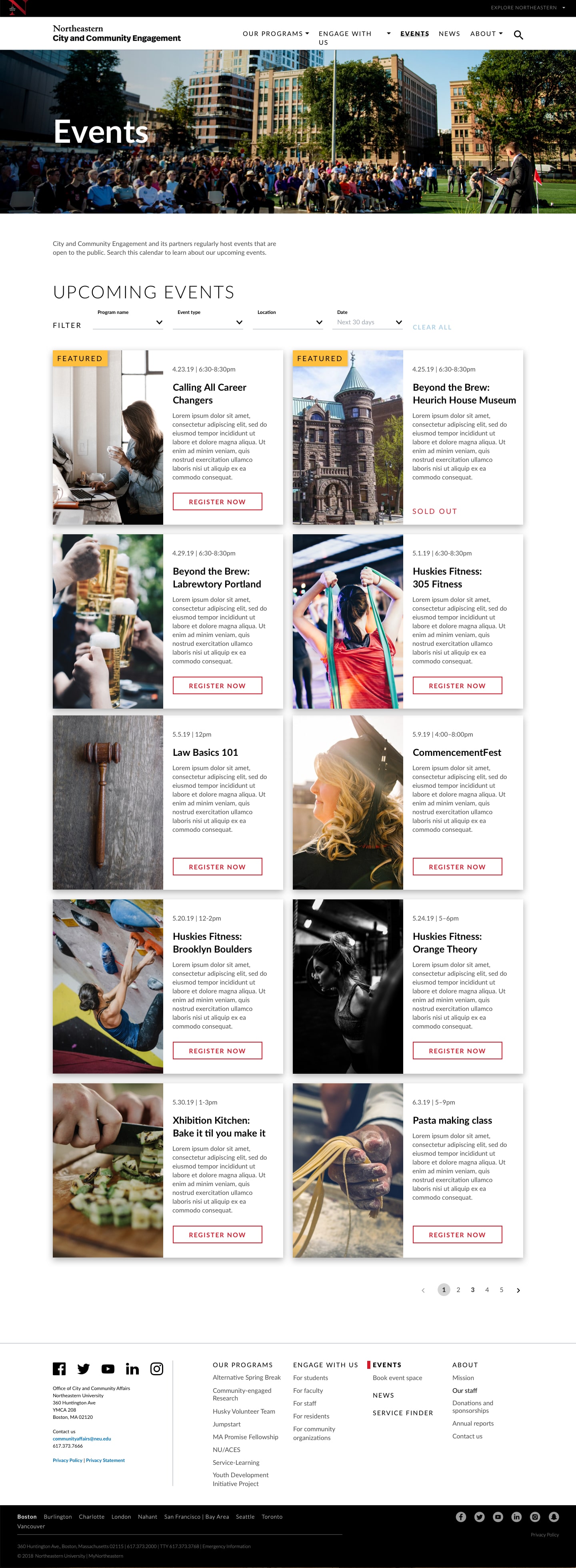
Shared patterns support partnerships, people, and university stories without requiring every page to look the same.
Partnerships / Shared foundations in a service context.View original ↗People / A different content structure within the same language.View original ↗
01 / THE SYSTEM PROBLEM
Set the boundaries of consistency.
Colleges, admissions, research, and academic programs needed a cohesive university identity and accessible experiences. A single page template could not accommodate every audience or content type; the system needed shared rules with room for local composition.
SHARE
Brand and hierarchy
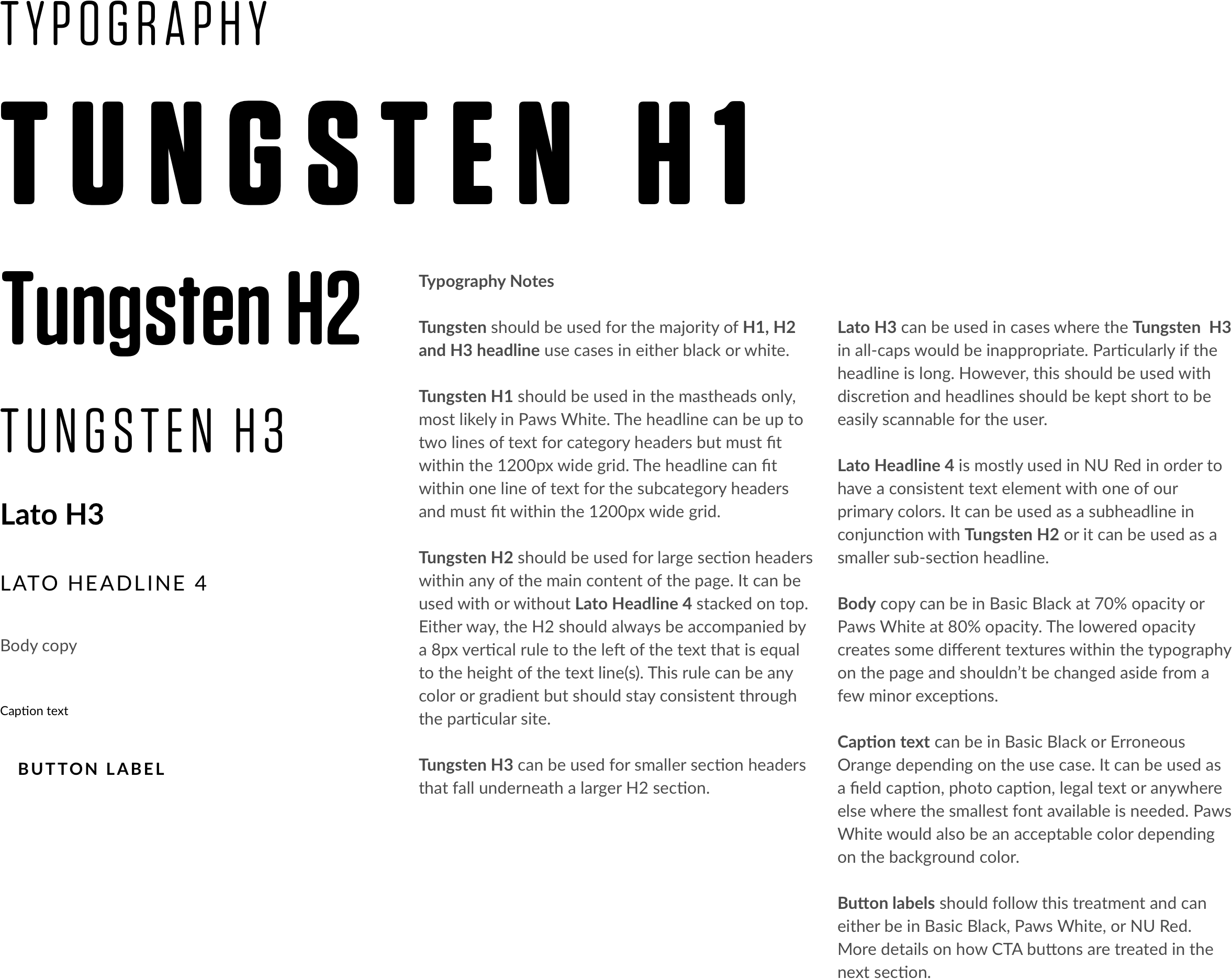
A recognizable visual language across typography, color, spacing, grids, and imagery.
REUSE
Components and states
Patterns with variants and usage guidance, rather than isolated visual samples.
ADAPT
Page composition
Different combinations for people, stories, partnerships, and program content.
02 / MY CONTRIBUTION
Audit the differences before defining the rules.
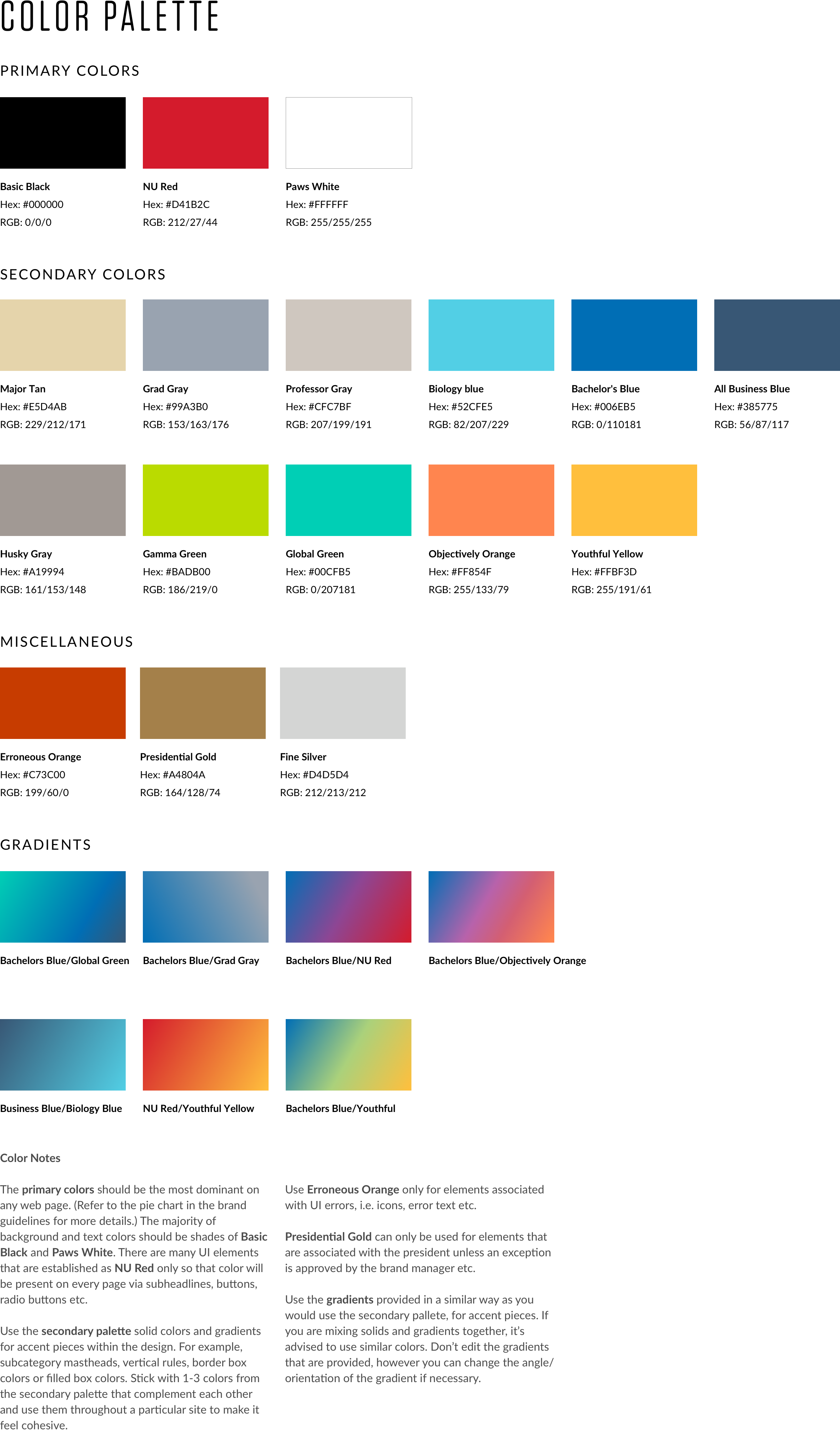
I contributed visual and CSS audits, a UI pattern library, high-fidelity prototypes, and two versions of the system. I documented component usage and synchronized the shared library through InVision DSM.
Visual audit / Reviewing existing page patterns.View original ↗Color foundations / Shared brand and supporting palettes.View original ↗
03 / COMPONENT BEHAVIOR
A component includes its states and guidance.
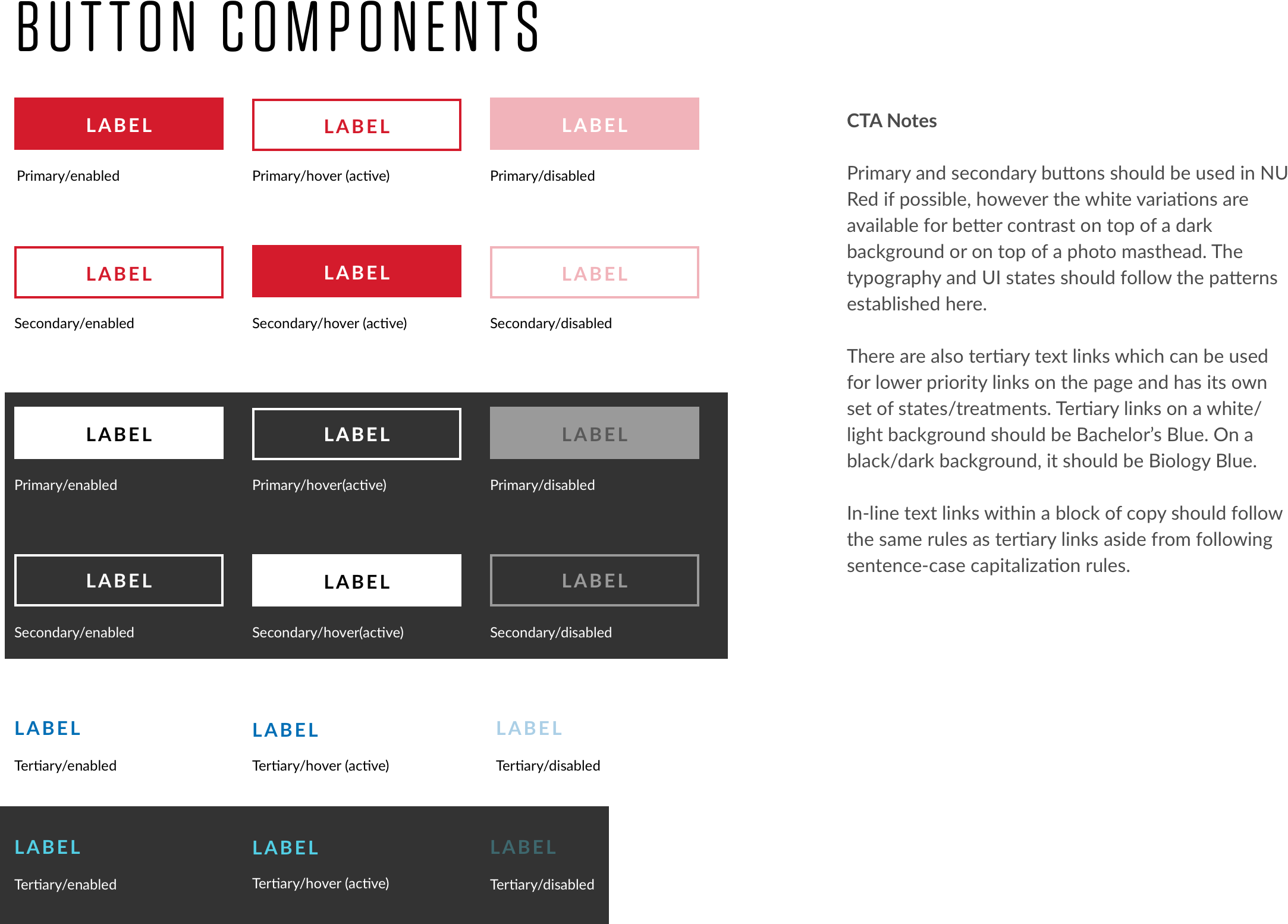
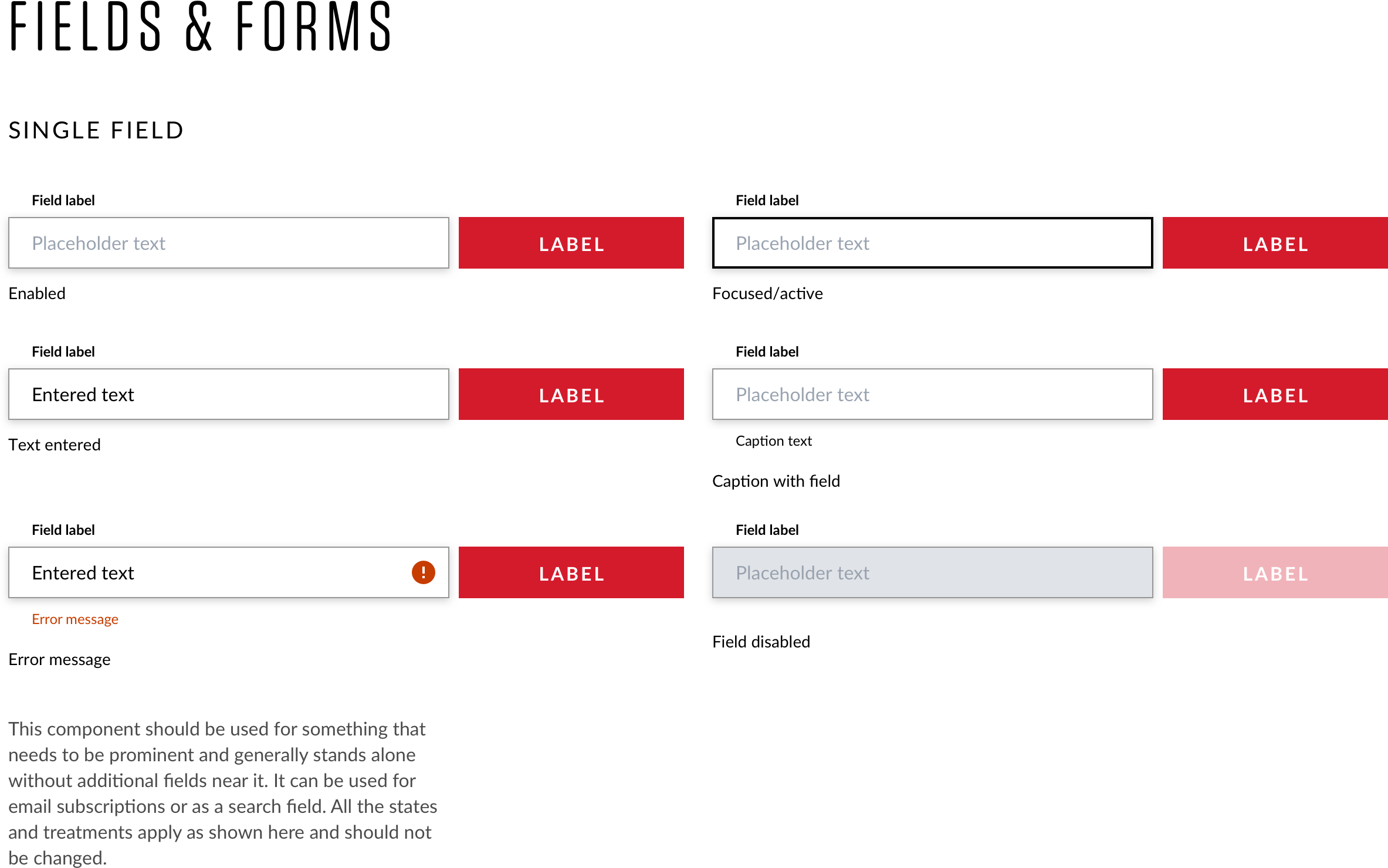
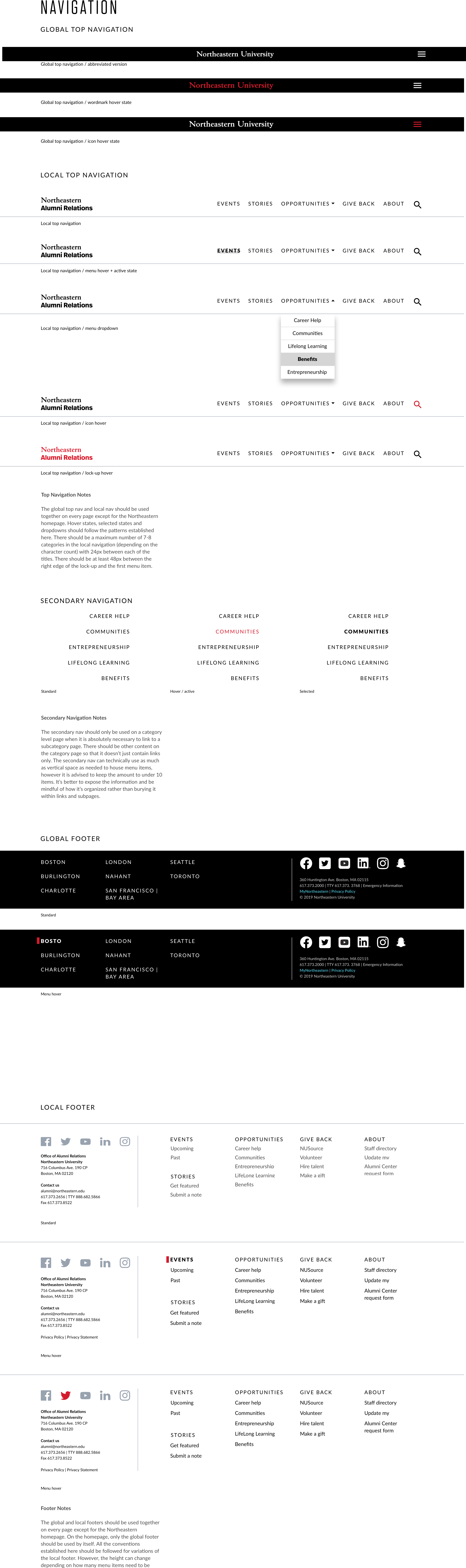
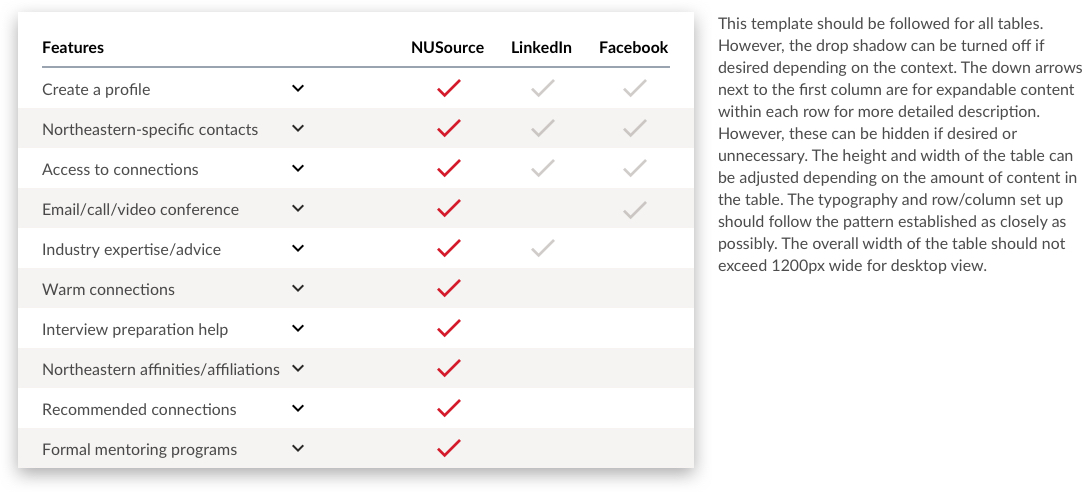
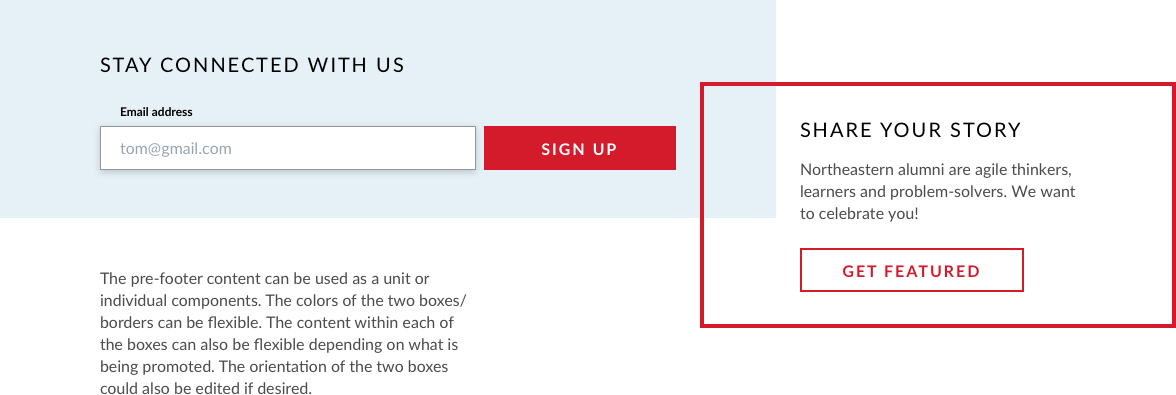
The library covered buttons, navigation, tags, layouts, messaging, and other interface elements. Documentation connected variants and interaction states to how the components should be used.
Buttons / Variants and interaction states.View original ↗Inputs / Entry, focus, and feedback examples.View original ↗
ACTION
Buttons
The source library records visual variants and states so actions can be applied consistently.
CONTENT
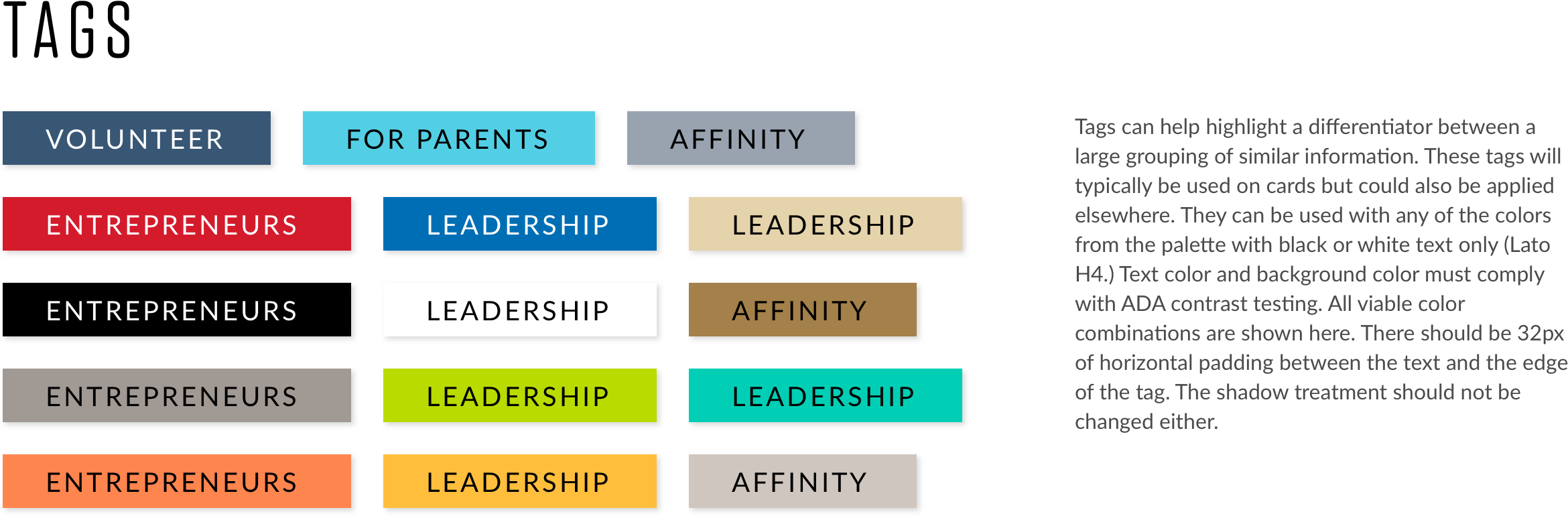
Tags and categories
Category treatments support different content contexts within a shared visual vocabulary.
GUIDANCE
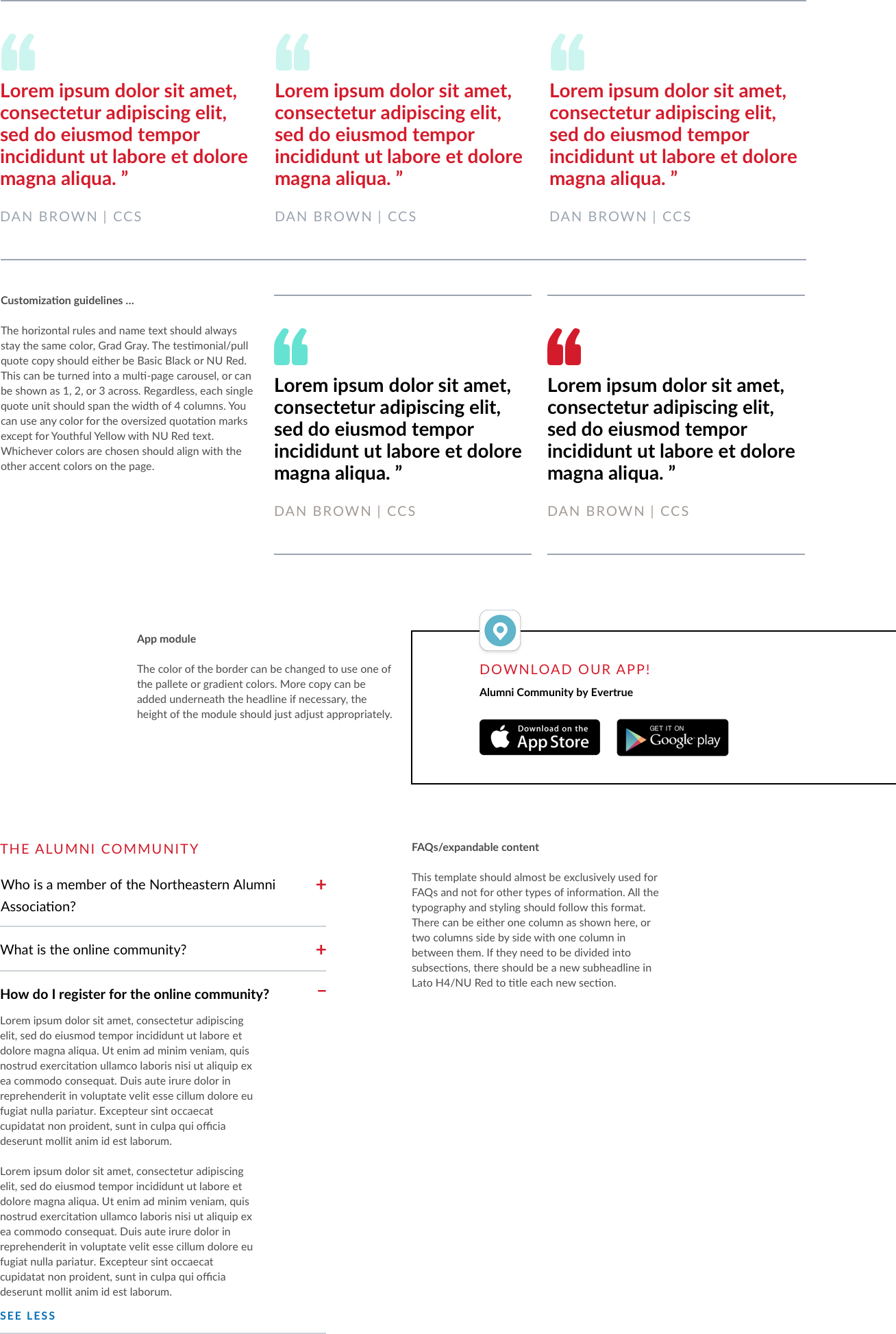
Usage documentation
Rules and examples make the intent of a pattern available alongside its appearance.
Tags / Category treatments across contexts.View original ↗Documentation / Usage examples and composition guidance.View original ↗
04 / APPLYING THE SYSTEM
Let real content test the component boundaries.
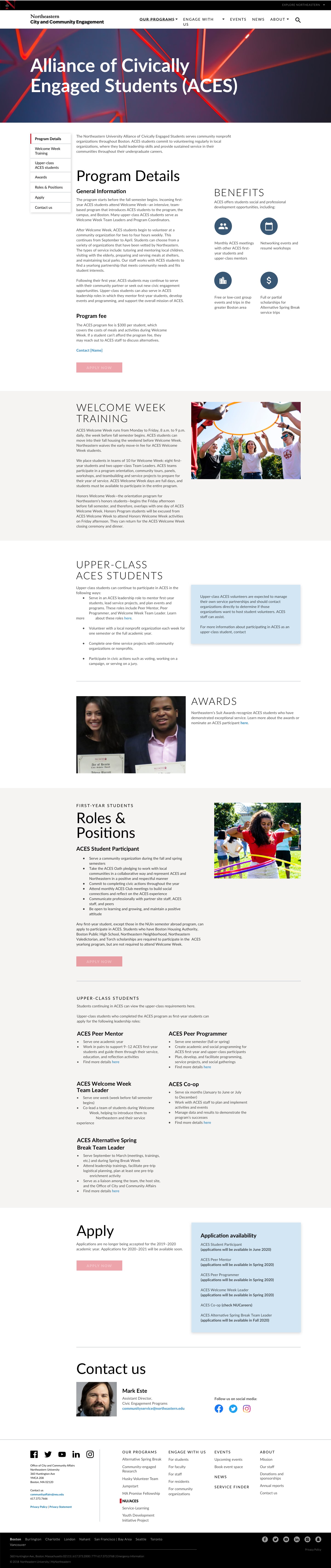
Applying the library to actual university pages exposed where patterns needed additional flexibility. The examples show shared foundations across different page structures; they demonstrate design coverage rather than a measured adoption outcome.
Partnership page / Editorial content, calls to action, and supporting information.View original ↗Profile page / Biography, structured detail, and related content.View original ↗
05 / REFLECTION & NEXT STEPS
A library needs a way to evolve.
The source described the system as work in progress. Further testing across university sites, more complete state documentation, and governance for updates were next steps. The completed artifacts establish foundations and patterns; adoption and delivery-speed impact were not measured in the original study.
TEST
Across more contexts
Use additional university content and edge cases to check the limits of each pattern.
DOCUMENT
Variants and behavior
Continue documenting states and usage so components remain understandable in implementation.
GOVERN
Changes to the library
Define how proposed updates are reviewed and incorporated into the shared system.
Explore additional original project artifacts
Original project artifact / 4View original ↗Original project artifact / 7View original ↗Original project artifact / 8View original ↗Original project artifact / 9View original ↗Original project artifact / 10View original ↗Original project artifact / 11View original ↗Original project artifact / 13View original ↗Original project artifact / 14View original ↗Original project artifact / 23View original ↗Original project artifact / 24View original ↗Original project artifact / 25View original ↗